
How Long Does Computer Repair Take on Average?
When your computer breaks down, one of the first questions that comes to mind is, “How long will this take to fix?” Whether you’re a business owner who relies on your PC for daily operations or a student with assignments due, understanding computer repair timeframes helps you plan accordingly and minimize disruption.
The answer isn’t one-size-fits-all. Computer repair time varies significantly based on the issue, parts availability, technician workload, and repair complexity. Simple software fixes might take just an hour, while major hardware replacements could require several days.
In this guide, we’ll break down typical repair timeframes for common computer issues, factors that affect repair duration, and how you can expedite the process when time is critical.
Quick Answer: Average Computer Repair Timeframes
Here's what you can typically expect:
Simple Repairs (1-3 hours):
These are quick fixes like virus removal, software updates, and driver issues. This category also covers basic troubleshooting.
Moderate Repairs (1-3 days):
Repairs such as hard drive replacement, RAM upgrades, and laptop screen fixes take a bit longer. Operating system reinstallations also fall into this timeframe.
Complex Repairs (3-7 days):
Major repairs like motherboard replacement, liquid damage repair, or data recovery require more time. Custom builds and extensive overhauls are also available here.
Extended Repairs (1-2 weeks or more):
Repairs take longer when parts are on backorder or advanced data recovery is needed. Warranty repairs involving the manufacturer can also extend the timeline.
Common Computer Repairs and Their Timeframes
Common computer repairs vary in complexity and time. Simple issues take hours, while major hardware or data recovery can take days or weeks.
Virus and Malware Removal (1-4 hours)
Removing malware is a common repair request and usually takes 1–2 hours for straightforward infections. More stubborn threats, like rootkits or ransomware, can take 3–4 hours to fully remove and secure the system.
Hard Drive or SSD Replacement (2-4 hours to 2 days)
Replacing a drive physically is quick, but reinstalling the OS and restoring data takes longer. If backups are available, expect 2–4 hours; without them, recovery can extend to 1–2 days.
Screen Replacement (2 hours to 3 days)
Laptop screen repairs can take 2–4 hours for common models with in-stock parts. Rare or specialized screens may require 2–3 days due to ordering and installation complexity.
RAM Upgrade or Replacement (30 minutes to 1 hour)
Installing or upgrading RAM is typically very fast, taking 15–30 minutes plus testing. Multiple slots or compatibility checks may slightly extend the process.
Power Supply Replacement (1-3 hours)
Desktop power supply swaps usually take 1–2 hours, including testing. Laptop power issues vary, with internal repairs taking longer if circuitry is involved.
Motherboard Replacement (4 hours to 5 days)
Swapping a motherboard takes 2–4 hours, but sourcing a compatible part can add 1–5 days. Installation also requires OS reactivation, driver installation, and testing.
Data Recovery (1 day to 2+ weeks)
Recovering simple files from a working drive can take 4–8 hours. Advanced recovery from damaged drives may take days to weeks, depending on the extent of damage and equipment required.
Operating System Reinstallation (2-6 hours)
A clean OS install usually takes 2–3 hours with drivers and updates. Reinstalling programs and restoring data can extend this to 4–6 hours.
Liquid Damage Repair (3-10 days)
Initial inspection and cleaning take 2–3 hours, but full testing may take 24–48 hours. Component replacements can add 2–7 days depending on part availability and damage severity.
Factors That Affect Computer Repair Time
Multiple technical and logistical factors determine whether a computer repair takes hours, days, or weeks.
1. Diagnostic Time
Technicians first diagnose the issue, which may take 30 minutes for simple problems or several hours to days for complex faults. Most shops provide a diagnosis within 24–48 hours during busy periods.
2. Parts Availability
This is often the biggest factor in repair delays. Common parts like RAM, standard hard drives, and power supplies are usually in stock at repair shops. However:
- Specialized laptop screens may need ordering (2-5 days).
- Rare motherboard models could take 1-2 weeks.
- Out-of-warranty parts might only be available through third-party suppliers.
- International shipping can add 1-2 weeks.
3. Technician Workload and Shop Queue
Even simple repairs take longer during peak times. Repair shops typically work on a first-come, first-served basis unless you pay for expedited service. During back-to-school season or after major holidays, repair queues can extend typical timeframes by several days.
4. Repair Complexity
Some issues require:
- Multiple repair attempts.
- Testing between each step.
- Ordering multiple parts if the first solution doesn't work.
- Specialized tools or expertise.
5. Computer Age and Model
Newer, common models are usually faster to repair due to:
- Readily available parts.
- Well-documented repair procedures.
- Standardized components.
Older or boutique computers can face significant delays finding compatible parts.
6. Warranty and Insurance Claims
If your repair is covered by warranty or insurance, add extra time for:
- Authorization processes (1-3 days).
- Approved vendor requirements.
- Documentation and claim processing.
- Potential shipping to manufacturer facilities.
Manufacturer warranty repairs through mail-in service typically take 1-3 weeks total.
How Long Should PC Repair Take? Setting Realistic Expectations
- Same-day service: for minor software and hardware tasks. This includes virus removal, RAM installation (if parts are available), basic troubleshooting, and minor optimizations.
- 1-3 days is reasonable: repairs taking 1–3 days involving moderate hardware or software work. Examples include hard drive replacement with data transfer, common screen replacements, power supply swaps, OS reinstallation, and standard component upgrades.
- 1 week is reasonable: one-week repairs usually involve complex tasks or special-order parts. This includes motherboard replacement, multiple component failures, detailed troubleshooting, and standard data recovery.
- Beyond 1 week suggests: Repairs longer than one week typically indicate significant challenges. Causes include advanced data recovery, manufacturer involvement, complex or unusual issues, or parts and shop delays.
If your repair is taking significantly longer than these benchmarks, don’t hesitate to contact the shop for an update. Reputable repair services communicate proactively about delays.
How to Speed Up Your Computer Repair
A few practical steps before and during drop-off can significantly reduce repair time and help technicians get your computer back to you faster.
1. Call Ahead About Parts Availability
Before dropping off your computer, call the repair shop and describe your issue. Ask if they stock common parts for your repair. This simple step can eliminate days of waiting.
2. Back Up Your Data Beforehand
If your computer is still functional, backing up your data before bringing it in saves hours of technician time. Most repairs are faster when technicians don’t need to worry about data preservation.
3. Provide Detailed Information
Help technicians diagnose faster by noting:
- When the problem started.
- What you were doing when it occurred.
- Any error messages you've seen.
- Recent changes (new software, updates, etc.).
4. Ask About Expedited Service
Many shops offer rush service for an additional fee. If you absolutely need your computer back quickly, this can bump you to the front of the queue.
5. Consider Dropping Off Early in the Week
Older or boutique computers can face significant delays finding compatible parts.
6. Be Flexible With Solutions
- Replacement instead of repair for failed components.
- Newer equivalent parts instead of exact matches.
- Temporary loaner computers while yours is repaired.
7. Provide All Necessary Components
Bring your power adapter, any required passwords, and relevant accessories. Missing components cause delays while the shop contacts you or waits for you to return with needed items.
What to Expect During the Repair Process
Understanding the typical repair workflow helps set realistic expectations:
Initial Intake (15-30 minutes)
You explain the issue while the technician performs a preliminary assessment. Paperwork is completed, and you receive an estimated timeframe and cost range.
Diagnostic Phase (2-48 hours)
Technicians run comprehensive tests to identify the root cause. You receive a confirmed diagnosis and firm quote and approve the repair.
Repair Work (varies)
Required parts are ordered if necessary, and repairs are completed. Quality checks and data verification are performed where applicable.
Final Testing (1-4 hours)
The system undergoes full functionality and stress testing. Security checks, cleanup, and a cosmetic inspection are completed.
Pickup/Delivery
You are notified when the repair is finished and receive a walkthrough of the work. Payment, warranty details, and prevention tips are provided.
Remote vs. In-Shop vs. On-Site Repairs: Time Differences
Repair timelines vary by method, from immediate remote fixes to longer in-shop or on-site work. The best choice depends on the issue and access requirements.
Remote Repair (Immediate to 2 hours)
Technicians connect via remote desktop to resolve software, configuration, or minor virus issues in real time. Most remote repairs are completed the same day within 30 minutes to 2 hours.
In-Shop Repair (1 day to 2 weeks)
You drop off the computer for hands-on diagnosis and repair, with timelines depending on workload and parts availability. Most standard repairs are completed within 1–7 days and are often the most cost-effective option.
On-Site Repair (2 hours to full day)
A technician comes to your location to service desktops, networks, or complex setups. Appointments typically last 2–8 hours and minimize downtime or disruption
When Repair Time Exceeds Expectations: Red Flags
Most reputable repair shops communicate clearly if timelines change. Be cautious if you notice:
Warning signs
- No updates after the estimated completion date
- Vague or inconsistent explanations
- Repeated deadline extensions without clear reasons
- Difficulty reaching the shop or technician
What to do
- Request a written status update
- Ask for a revised completion date
- Confirm whether parts are delayed or diagnostics are ongoing
Your rights
- You can usually retrieve your computer at any time
- You shouldn’t be charged for unfinished work
- Diagnostic fees and repair terms should be disclosed upfront
Clear communication is a baseline expectation for any professional repair service.
Repair vs. Replace: When Time Matters
Sometimes replacement is the faster—and smarter—option.
Consider replacing instead of repairing if:
- Repair costs exceed ~50% of replacement cost and will take over a week
- The computer is more than 5 years old and parts are scarce
- Multiple components have failed
- You need a working computer immediately and repair delays are unavoidable
For urgent needs, a budget replacement can often get you back online the same day, even if repair is more economical long-term.
Questions to Ask Your Repair Shop
Before leaving your computer, clarify:
- “What’s the realistic turnaround time?”
- “Are the required parts in stock?”
- “What’s included in the diagnostic fee?”
- “Will you contact me before additional work?”
- “What happens if the repair takes longer than expected?”
- “Is the repair covered by a warranty?”
These questions help prevent surprises and set clear expectations from the start.
Planning for Computer Downtime
For work or school
- Use cloud-based tools to access files
- Communicate timelines early with employers or instructors
- Consider a temporary or loaner device for longer repairs
For personal use
- Tablets and smartphones cover most basic tasks
- Ask about loaner options or remote repair for urgent software issues
Before drop-off
- Back up critical data
- Export passwords and license keys
- Remove external devices and disable biometric security
A little preparation can save hours—or days—of repair time.
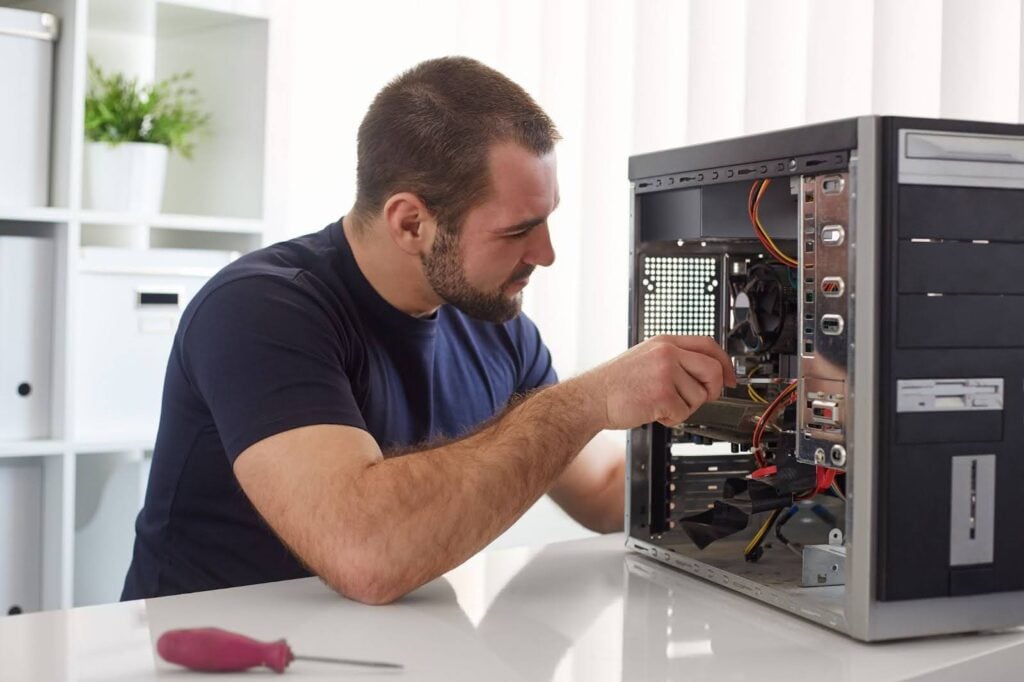
How Long Does Computer Repair Really Take?
Computer repair can take anywhere from an hour to several weeks, but most standard repairs are completed within 1–3 days when parts are available. Software issues are typically faster, while hardware repairs depend heavily on part availability and complexity.
Managing repair time comes down to clear communication, realistic expectations, and preparation. The fastest repair isn’t always the cheapest, and the cheapest isn’t always the fastest.
Contact us if computer issues are disrupting your day. GoScreenWorks offers a free diagnostic and a clear, honest repair timeline so you know exactly what to expect before you commit.